
AI PRESENTATION TEMPLATES
AI-Ready Presentation Template the Whole Team Will Actually Use
We design master templates for business that survive non-designers, rebrands, and AI rollouts — with embedded brand fonts, branded chart defaults, and locked layouts. Get a modular system that Claude can reliably use to draft new slides.
.png)
Trusted by industry titans


WHY AI PRESENTATION TEMPLATES FAIL
Why Most Presentation Templates Break the Moment Real Teams Use Them
Microsoft PowerPoint, Google Slides, and Keynote run 95% of corporate decks – most of them stitched together from broken templates or recycled old files that read off-brand the second they’re shared. And AI has made it worse. Generators can't read image placeholders, parse legacy layouts, or adapt the branded elements – so they scramble everything. As a result, decks don't survive AI reads or edits, while the "polish with AI and send" now takes longer than just building from scratch.
Over 23%
of business professionals are worried about the visual appeal of their presentations (Yahoo Finance).

Every team starts from a different file. Externally, it shows.
Only 25%
of external presentations are compliant with the organization’s corporate design (Empower Suite).

Non-designers can't use the template, even if it exists. People still go off-book.
HOW WE BUILD AI TEMPLATES FOR CORPORATE TEAMS
Get a Master Template Ready for Use With AI
Most templates crash the moment an AI tool tries to use them. You get free-floating text boxes pretending to be a layout. No real picture placeholders. SmartArt that AI can't parse. Animations that scramble on export. Theme colors that aren't actually wired to the theme.
01
Get an AI-ready presentation template
We build the template the way PowerPoint's master-and-layouts system was designed to be used. Your team sends a prompt into Claude (or any AI deck tool), and it instantly has a structured file to draft into. The output always comes back on-brand, on the right layout, and with images in the right place.

02
We design the narrative flow first
Templates are built around how your team communicates, not just how slides look. A town hall, a sales pitch, and a board update each carry a different narrative weight — your template handles all three.
03
The mechanics are the system
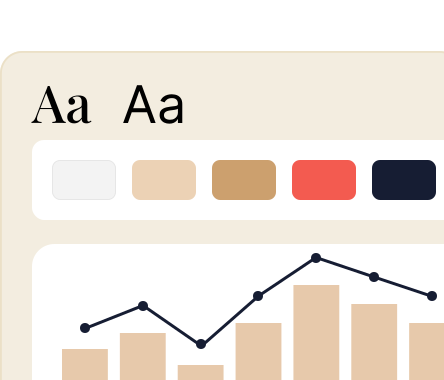
Each template has embedded brand fonts so they don't go rogue on someone else's machine. Theme colors ensure the default palette is yours, not Office's. Branded chart styles enable a non-designer to drop in data and get an on-brand graph back. Use variant slides — agendas, section breaks, 2/4/6/10-image layouts, and editable maps — so people stay inside the guardrails without losing flexibility.
04
We hand it off so it actually gets used
The final template includes a locked cloud master with a copy-to-edit workflow. The explainer slide pack is written for non-designers, plus a short onboarding video for tech-inexperienced or non-design team members. One client said it best: “foolproof and age-proof.”

The practical payoff: your team can send a prompt to Claude, get a draft deck back inside your template, and skip the 90 minutes of cleanup that AI decks usually need before they’re presentable. On average, 40% of presentation-creation time goes to formatting issues rather than message development (Empower Suite).
AI TEMPLATES FOR USE BY BUSY PROFESSIONALS
Inside AI Presentation Templates: Built For Humans & AI
Below is what is delivered with a standard branded template design build. After a discovery call, brief, and concept approval, you receive a custom presentation master template with 15–30 layouts (count depends on use case).

Embedded brand fonts so they don’t break on other machines

Theme colors, default shapes, and branded chart styles

Section breaks, agendas, 2/4/6/10-picture variants, editable maps

Branded data visualizations — charts auto-render in your colors and fonts. Perfect for monthly reports

Cloud-safe versions for PowerPoint / Google Slides / Keynote / Figma Slides

Locked master with copy-to-edit workflow for non-designers

Explainer slide pack and onboarding video

Two edit rounds included

Fully editable source file (PowerPoint, Google Slides, Keynote, or Figma Slides — same price).
In all, the master template effortlessly survives an average of 3–5 contributors per monthly deck, according to our clients – entirely without designer review. It stays brand-consistent across Microsoft PowerPoint, Google Slides, and Keynote. The system is what makes AI presentation templates actually usable at the team level.

AI PRESENTATION TEMPLATE USE CASES
Where Teams Actually Deploy Presentation Templates
Sales Decks
Modular slide layouts reps edit themselves
Logo, case study, pricing swaps without breaking the master
Same brand from BDR's first email to VP's close
Town halls and internal comms
Five departments contributing to one deck
Pre-built layouts keep contributors inside guardrails
No designer review on monthly assembly
Marketing and partner pitches
Campaign decks, conference talks, co-marketing pages
Same master deployed by different teams
Unified company on the page across every room
Board and executive briefings
Data-heavy layouts that hold under dense numbers
Editable charts and maps for global rollouts
Updated Monday night, board-ready Tuesday morning
Looking for an AI Presentation
System Setup?
Presentations and beyond – get them ready in minutes while improving both the narrative and design with embedded fonts, colors, layouts, voice, do's and don'ts. Get a comprehensive brand-ready AI design system that the team uses directly from day one.

Reviews from Enterprises, VC Funds, and Founders
CLIENT FEEDBACK
5.0

Quality
5.0
Schedule
5.0
Cost
5.0
Willing to Ref
5.0
Pitch Deck Design for HealthTech Company
“Whitepage — Presentation Design Agency's work received positive remarks from the client. They were responsive, fast, and understanding of the client's needs. Communication was efficient via email. The team's ability to turn complex issues into simple slides was commendable.”

Boris Berjan,
Co-Founder & CEO, Theia Health
Read Full Review
5.0
Quality
5.0
Schedule
5.0
Cost
5.0
Willing to Ref
5.0
Graphic Design for Healthcare Foundation
“Whitepage Presentation Design Agency's work helped the client secure funding. The team was highly responsive, friendly, and fast. Moreover, they always met deadlines and communicated often via email and messaging apps to update the client on progress.”
Anonymous
Chief of Staff, Healthcare Foundation
Read Full Review
5.0
Quality
5.0
Schedule
5.0
Cost
5.0
Willing to Ref
5.0
Pitch Deck & Financial Model Design for Mobile App Company
"It's a boutique agency with a unique gift for storytelling and design."
Anonymous
Executive, Elite Prep, LLC
Read Full Review
5.0
Quality
5.0
Schedule
5.0
Cost
5.0
Willing to Ref
5.0
Branding & Graphic Design for SaaS Management Platform
"The founder of Whitepage was involved in our project from the start."

Aram Atanesyan
Head of Marketing, Spendbase
Read Full Review
5.0
Quality
5.0
Schedule
5.0
Cost
5.0
Willing to Ref
5.0
Branding & Graphic Design for Real Estate Investment Firm
"The team was very responsive and easily accessible."
Anonymous
Founding Partner, Real Estate Investment Firm
Read Full Review
WHO RUNS THE WORK
Whitepage Strategic Oversight Never Gets Delegated
.avif)
Tanya Slyvkin

Founder & CEO of Whitepage
Studio builds the narrative and leads strategic oversight on every retainer personally. Her background combines C-level executive experience, a PMP certification, a business school foundation, and first-hand startup fundraising. She's been in the rooms these decks go into.
What You Get

Narrative Locked Before Design Begins
The story structure is built and approved first. You never pay for polished slides built on the wrong argument.

CEO-level Thinking for Complex Industries
Biotech, fintech, enterprise SaaS, manufacturing, or a company with a complex story – Tanya has built narratives for rooms where the audience knows the industry as well as you do.

Multi-Stakeholder Stories, One Voice
When four internal stakeholders have four different versions of the pitch, Tanya brings the argument to consensus before production starts.

Deadlines Held, Every Time
Timelines are set at the start and kept. You're not managing the creative process – we are.
Let's look at what your next room actually needs
Book a 30-minute intro call. We'll review your current materials and tell you honestly what the narrative needs — before any design begins. No commitment, no sales pitch.
 Book intro Call
COMMON QUESTIONS
Frequently Asked Questions
1. What software do you build templates in?
PowerPoint, Google Slides, Keynote, and Figma Slides, with identical pricing regardless of the platform. Most clients want PowerPoint and Google Slides versions of the same master, which we build in parallel. The only caveat is custom fonts: PowerPoint embeds them, Google Slides uses Google Fonts equivalents. We handle the font equivalency mapping during build. Roughly 70% of our recent builds ship as parallel PowerPoint + Google Slides masters, with Keynote and Figma Slides each making up about 15% of single-platform requests.
2. How is this different from buying a presentation master template online?
A template marketplace gives you a file that’s usually 25 layouts in someone else's brand. We build the system around your brand: embedded fonts, branded chart defaults, locked masters, training pack, and (if you want it) the AI workspace setup. Although the deliverable looks similar, it’s customized to your brand rather than retrofitted after the fact.
3. We have an in-house design team. Why would we need this?
In-house teams are built for campaign work, not the structural mechanics that keep a template alive across non-designers — embedded fonts, locked masters, chart defaults, and AI workspace setup. We build the foolproof system; your designers stay focused on the work they were hired to do.
4. How do we create a branded PowerPoint presentation that our non-designers can actually use?
Three things, in order: embed the fonts so they don't fall back to Calibri, set the theme colors so the default palette is yours, and lock the master with a copy-to-edit workflow. Then include a short explainer pack, so the team knows how to copy a slide instead of editing the master. That's the foundation of how to create a branded PowerPoint presentation that survives at scale.
5. We're in the middle of a rebrand. Is this the right time?
Usually yes. Rebrand windows are when everything tends to break at once — deck, website, brochures, ebooks, sales materials. We work on rebrand bundles regularly, and bundle pricing is available across asset types.
6. How long does a presentation template design service project take?
3–5 weeks for a standard template. Faster if we're extracting it from a real deliverable we're already building, like an investor deck, a sales deck, or an annual plan.
7. Who owns the source files?
You do. Editable source files are delivered on final payment. No license fees, no annual renewals.
8. Do you do other things — websites, one-pagers, brochures, sales decks?
Yes. Most clients start with one project, and we end up doing two or three. That's the natural pattern; we don't push it.
9. How different are your templates from AI presentation platforms like Gamma, Beautiful.ai, Tome, Pitch, or Canva Magic Design?
Those tools generate decks fast, but they generate them in their visual language, not yours: default templates, generic typography, color palettes that look great in a demo and off-brand in a board room. Our AI presentation templates plug into the tools your team already runs (PowerPoint Copilot, Google Slides Gemini, Claude, ChatGPT), so the AI drafts into your master. According to the 2025 Presentation Software Report, over 80% of enterprise teams still finalize decks in PowerPoint or Google Slides, regardless of which AI tool drafted them — exactly the workflow our templates are built for.


867 BOYLSTON ST
BOSTON, MA 02116


